
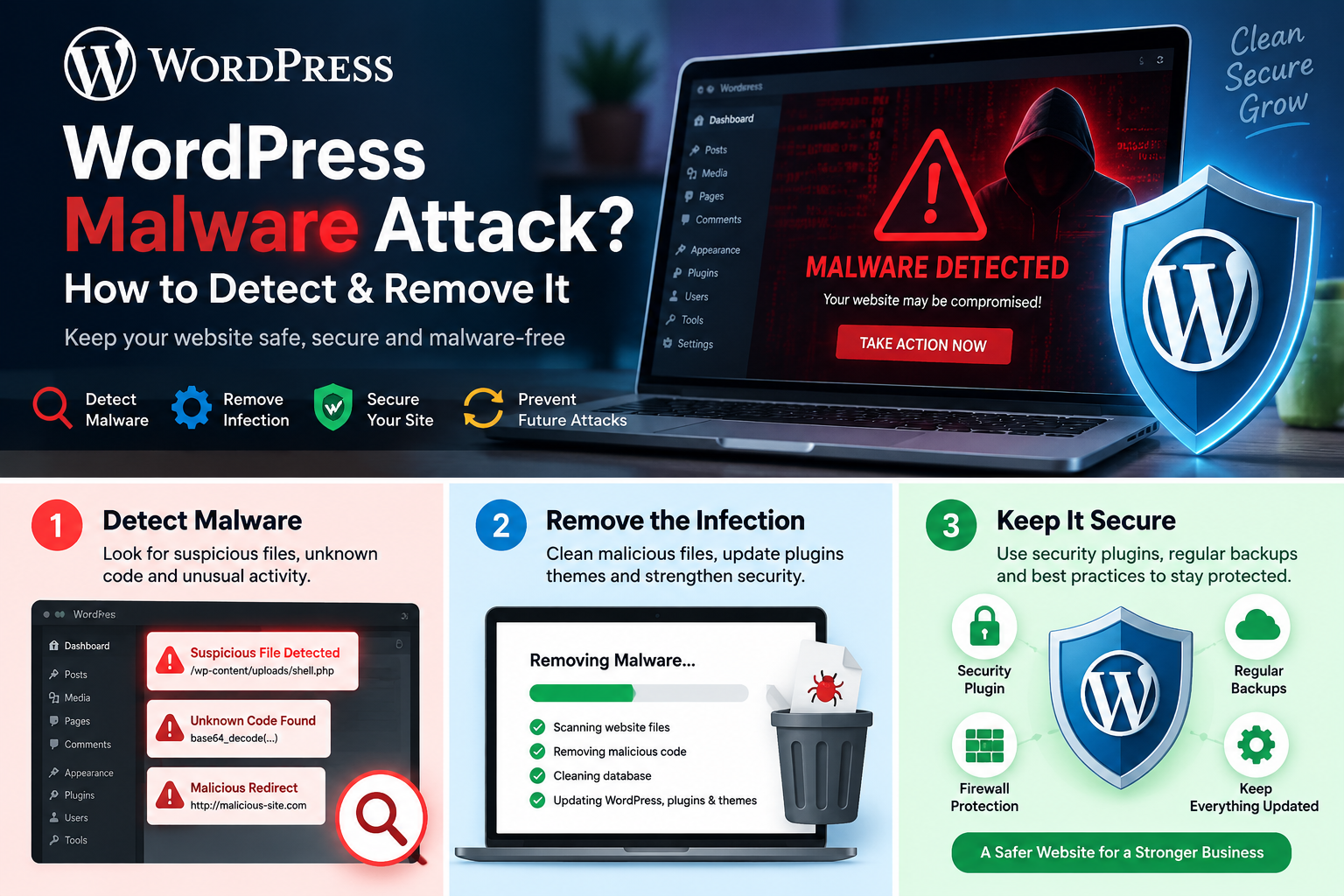
WordPress website hacked? Here is how to fix it, step by step.
Many WordPress sites were hacked in the last few weeks. This guide shows you the latest news, the signs of a hack, and 12 simple steps to clean your site and bring your visitors back.
Take a backup of the hacked site. Scan it for malware. Change every password. Delete unknown admin users. Replace WordPress core, plugins and themes with fresh copies. Remove backdoor files and clean the database. Update everything. Add a firewall and two-factor login. Then ask Google to review your site.
Key points in 30 seconds
- In July 2026, hackers started attacking two critical bugs in WordPress core itself. WordPress pushed forced updates.
- In August and September 2026, hackers attacked Elementor Pro, a WooCommerce add-on, and a backup plugin used on 5 million sites.
- Most hacks happen through old plugins, weak passwords and missed updates. Not because WordPress is bad.
- Deleting one bad file is not enough. Hackers leave hidden backdoors, so the hack comes back.
- A hacked site can be fully cleaned. Your Google rankings can come back too.
What is happening? The latest WordPress hack news in 2026
Short answer: Since July 2026, hackers have been attacking bugs in WordPress core and in several very popular plugins. If your site got hacked recently, one of the five events below is a likely reason.
We read the reports from security companies and news sites. Here is a simple log of what happened, with dates, and what you should do for each one.
Two critical bugs in WordPress core (WP2Shell)
WordPress fixed two critical security bugs and told every site owner to update right away. The bugs were so serious that WordPress turned on forced updates where it could. One of the bugs was named WP2Shell by the company that found it, Searchlight Cyber. Used together, the two bugs let a hacker take full control of a site from far away.
TechCrunch reported that Patchstack, Hexastrike and WatchTowr all saw real attacks. The weak versions are WordPress 6.9.0 to 6.9.4 and 7.0.0 to 7.0.1. One researcher guessed that tens of millions of sites could still be open.
What to do: update WordPress core to 7.0.2 or newer today.
Elementor Pro file upload bug (CVE-2026-32475)
Elementor Pro runs on more than 6 million sites. A critical bug in its Form widget lets a hacker upload a PHP file and run it on your server. The bug got a score of 9.8 out of 10. It was fixed on 19 August 2026. BleepingComputer reported that the Wordfence firewall has blocked almost 200,000 attack tries since the fix came out.
What to do: update Elementor Pro to 4.2.2 or newer. Then look inside /wp-content/uploads/elementor/forms/. If you see any .php file there, your site is likely hacked.
All-in-One WP Migration and Backup (CVE-2026-19949)
This backup plugin is active on more than 5 million sites. SecurityWeek reported a high risk SQL injection bug in its restore feature. A hacker can use it to steal a secret key, upload a bad plugin and run code on the site. The fix came on 20 August 2026. But on 3 September, only about 35% of sites had updated. That left around 3.2 million sites open.
What to do: update the plugin to 7.110 or newer. If you only use it once a year, delete it after use.
WooCommerce Wholesale Lead Capture (CVE-2026-27540)
This WooCommerce add-on lets anyone upload a file without logging in. Hackers use it to drop a PHP backdoor and take over the store. Reports on Wordfence data say more than 100,000 attack tries were blocked.
What to do: update to 2.0.3.2 or newer. Check your uploads folder for strange PHP files. Check your server logs.
Thousands of hacked WordPress sites used by one crime group
Check Point Research found one group using thousands of hacked WordPress sites as its own network. The sites were used to spread malware to visitors and to store stolen files. The group hid a secret file uploader as a must-use plugin at wp-content/mu-plugins/wp-sec.php. Most site owners never look in that folder.
What to do: open your mu-plugins folder. If you see a file you did not add, treat the site as hacked.
The lesson from all five stories is the same. The fix was ready, but many sites did not update in time. Hackers moved faster than site owners.
Hit by one of these attacks?Send us your site link. Our team will check it and clean it.
Why are so many WordPress websites getting hacked?
Short answer: WordPress runs a very large part of the web, so hackers build robots that scan every WordPress site for known bugs. They do not pick your site by name. They pick it because it has an old plugin.
Five hours is very short. If you update plugins once a month, your site can stay open to attack for weeks. This is why so many sites were hit this summer.
The main reasons sites get hacked
- Old plugins and themes. This is the number one reason. Most WordPress bugs are in plugins, not in WordPress itself.
- Weak or reused passwords. Robots try millions of passwords on
/wp-login.phpevery day. - Nulled (pirated) themes and plugins. Free copies of paid plugins often have malware inside.
- Too many admin users. Old staff, old agencies and old freelancers still have full access.
- Cheap shared hosting. One hacked site on the server can infect the others.
- No firewall and no backups. So nothing blocks the attack, and there is no clean copy to go back to.
There is one more change in 2026. Patchstack and Monarx found that hackers now hide their code inside real WordPress, plugin and theme files. They no longer drop one clear bad file. So the old way of “scan and delete” misses a lot. A proper cleanup must compare every file with the original.
How do I know if my WordPress site is hacked?
Short answer: Look for sudden redirects, new admin users, a Google warning, strange pages in search results, or a fall in traffic. If you see even two of the signs below, act now.
- Your site sends visitors to another site. Often a casino, pills or fake prize page. It may happen only on mobile, or only for visitors from Google.
- Google shows “This site may be hacked” or Chrome shows a red “Deceptive site ahead” screen.
- New admin users that you did not create.
- Japanese or Chinese text in Google results for your site. This is the Japanese keyword hack.
- Hundreds of new pages in Google Search Console that you never made.
- You cannot log in, or your password stopped working.
- The site is very slow or the server uses 100% CPU.
- Your host suspended the account for malware or spam email.
- Strange files with names like
wp-sec.php,wp-vcd.php,class-wp-cache.phpor random letters. - Pop-ups or ads you did not add.
- Emails from your site go to spam, or customers get emails you did not send.
- Google Ads stopped your ads for “malicious software”.
Two free checks you can do in 5 minutes
- Open Google and search
site:yourdomain.com. Look for pages and words that are not yours. - Open Google Search Console, then go to Security and Manual Actions, then Security issues.
Seeing these signs on your site?Do not wait. Every hour costs you visitors and trust.
What are the common types of WordPress hacks?
Short answer: Most hacks fall into eight types. Knowing the type tells you where to look.
| Type of hack | What you see | Where it hides |
|---|---|---|
| Redirect hack | Visitors land on spam or scam sites | .htaccess, header.php, database wp_options |
| Japanese keyword hack (SEO spam) | Japanese text and fake shop pages in Google | New PHP files, fake sitemap, .htaccess |
| Pharma hack | Pill and drug words in your titles on Google | Plugin folders, database |
| Backdoor | Often nothing. The hacker keeps a secret door | uploads, mu-plugins, wp-config.php, functions.php |
| Fake admin user | A new admin you did not add | Database wp_users table |
| Phishing pages | Fake bank or login pages on your domain | Hidden folders in the site root |
| Card skimmer | Customers report card fraud after buying | Checkout JavaScript, WooCommerce files |
| Malware spreader | Visitors get a virus download or fake update | Injected scripts in posts and theme files |
How to fix a hacked WordPress website in 12 steps
Short answer: Back up, scan, lock the doors, replace all code with clean copies, remove backdoors, clean the database, update, harden, and ask Google to check again. Do the steps in this order. Do not skip any.
-
Stay calm and do not delete things yet
Do not start deleting files in a hurry. You may remove proof of how the hacker got in. Turn on a maintenance page so visitors do not get harmed. If your site takes payments, turn off checkout for now.
-
Take a full backup of the hacked site
Yes, back up the hacked site too. Download all files and export the database. Keep it on your computer, not on the server. If something goes wrong in the cleanup, you can go back. It also helps you find the entry point later.
-
Scan the site for malware
Use more than one scanner, because each one finds different things.
- Wordfence or a similar security plugin for a deep file scan
- Sucuri SiteCheck for an outside scan
- The malware scanner in your hosting panel
- Google Search Console for Security issues
Write down every file and URL the scanners report.
-
Change every password and log out all users
Change passwords for WordPress admins, hosting panel, FTP or SFTP, database and your email. Use long, new passwords. Then change the secret keys (salts) in
wp-config.php. This logs out everyone, including the hacker.wp config shuffle-saltsNo WP-CLI? Get new keys from the WordPress.org secret key tool and paste them into
wp-config.php. -
Remove unknown users
Go to Users, then All Users, then filter by Administrator. Delete any admin you do not know. Also open the
wp_userstable in phpMyAdmin. Some hackers hide their user from the dashboard, but it still shows in the database. -
Replace WordPress core with a fresh copy
Do not try to clean core files one by one. Replace them. Delete the
wp-adminandwp-includesfolders and upload fresh ones from WordPress.org. Keepwp-contentandwp-config.php. With WP-CLI you can also check every core file against the original:wp core verify-checksums wp core download --force --skip-content -
Reinstall every plugin and theme
Delete each plugin folder and install a fresh copy from the official source. Do the same for your theme. If you have a child theme with custom code, check each file by hand. Remove every plugin and theme you do not use. Remove every nulled plugin. This step matters most in 2026, because hackers now hide code inside real plugin files.
wp plugin verify-checksums --all -
Hunt for backdoors
A backdoor is a small hidden file that lets the hacker come back after you clean up. This is why many sites get hacked again after one week. Check these places:
/wp-content/uploads/should have images and documents. It should not have PHP files./wp-content/mu-plugins/loads on its own and does not show in the plugin list.wp-config.php,.htaccess,index.phpand your theme’sfunctions.php.- Cron jobs in your hosting panel and in WordPress.
# find PHP files where they should not be
find wp-content/uploads -name "*.php"

# find files changed in the last 15 days
find . -type f -name "*.php" -mtime -15

# look for common malware code
grep -rlE "eval\(|base64_decode\(|gzinflate\(|str_rot13\(" wp-content
Not every result is malware. Some real plugins use these functions. But every result needs a look.
-
Clean the database
Malware also lives in the database. Check these:
wp_options: aresiteurlandhomecorrect? Any strange long values?wp_posts: search for<script,<iframeand unknown domains.- Spam posts, spam pages and spam comments made by the hacker.
- Unknown entries in
wp_usermetathat give admin rights.
-
Update everything and close the hole
Update WordPress core, all plugins, all themes and PHP. Check the safe version table below. If you do not fix the hole, the same robot will hack you again in a few hours.
-
Harden the site
Now make it hard to get in again. Add two-factor login for all admins. Add a web application firewall. Limit login tries. Turn off the file editor in the dashboard. Block PHP from running in the uploads folder.
// add to wp-config.php
define( 'DISALLOW_FILE_EDIT', true );
# add to /wp-content/uploads/.htaccess (Apache) <FilesMatch "\.(php|phtml|php7|phar)$"> Require all denied </FilesMatch>That one rule would have stopped the Elementor Pro and WooCommerce file upload attacks from running their code.
-
Ask Google to review, then watch for 30 days
When the site is clean, ask Google to check it again. See the next section. Then scan the site every day for one week, and every week for one month. If the malware comes back, a backdoor is still hiding somewhere.
No time to do all 12 steps?We remove the malware, the backdoors and the Google warning for you.
Which versions are safe? Check these on your site today
Short answer: If any item below is older than the safe version, update it now and then scan your site. Updating closes the hole, but it does not remove a hacker who is already inside.
| Software | Weak versions | Safe version | Extra check |
|---|---|---|---|
| WordPress core | 6.9.0 to 6.9.4, 7.0.0 to 7.0.1 | 7.0.2 or newer | Run a core checksum check |
| Elementor Pro | 4.2.1 and older | 4.2.2 or newer | No PHP files in uploads/elementor/forms/ |
| All-in-One WP Migration and Backup | 7.109 and older | 7.110 or newer | Look for unknown files in mu-plugins |
| WooCommerce Wholesale Lead Capture | 2.0.3.1 and older | 2.0.3.2 or newer | Check uploads for PHP files, check server logs |
Version data is from SecurityWeek, BleepingComputer, TechCrunch and Wordfence reports, checked on 18 September 2026. New fixes come out often, so always install the newest version.
How do I remove the “This site may be hacked” warning from Google?
Short answer: Clean the site fully first. Then open Google Search Console, go to Security issues, and click Request review. Google usually answers within a few days.
- Make sure the site is 100% clean. If Google finds malware again, the next review takes longer.
- Open Google Search Console and pick your site.
- Go to Security and Manual Actions, then Security issues.
- Read each issue and the sample URLs. Check that each one is fixed.
- Click Request review. Write in simple words what was wrong and what you did. For example: “Removed backdoor files, replaced all core and plugin files, changed all passwords, updated all plugins.”
- If your site is on other blacklists, such as your antivirus or hosting blacklist, ask each one for a review too.
If Google Ads stopped your ads, open the policy issue in your Ads account and ask for a review after Search Console shows no issues.
What does a hack do to my SEO, and how do I get my traffic back?
Short answer: A hack can drop your traffic fast, because Google shows warnings and indexes spam pages under your name. After a full cleanup, most sites get their rankings back in a few weeks.
How a hack hurts your rankings
- Google shows a warning, so fewer people click.
- Thousands of spam pages get indexed on your domain.
- Spam links point from your site to bad sites.
- The site gets slow, so users leave.
- Redirects send your visitors away before they read anything.
How to recover your traffic
- Return 410 for spam URLs. A 410 code tells Google the page is gone for good. It is faster than 404.
- Send a clean sitemap. Delete any fake sitemap the hacker made. Submit your real one again in Search Console.
- Check robots.txt and .htaccess. Hackers often edit these to show spam only to Google.
- Use URL Inspection on your top pages and click Request indexing.
- Use the Removals tool for the worst spam URLs, so they leave search results quickly.
- Check your titles and meta descriptions. Make sure the hacker did not change them.
- Watch the Pages report each week until the spam pages are gone.
This matters for AI search too. Tools like Google AI Overviews, ChatGPT and Perplexity read your pages to answer people. If your pages show spam text or a security warning, these tools will stop using your site as a source. A clean, fast and trusted site is the base for SEO, AEO and GEO.
Lost traffic after a hack?We clean the site and help your rankings come back.
How do I secure my WordPress site after the cleanup?
Short answer: Update fast, use strong logins, add a firewall, keep backups off the server, and check the site every week. Basic security habits stop most attacks.
- Turn on auto-updates for plugins and minor core releases.
- Check for updates at least two times a week. Remember the 5 hour window.
- Use two-factor login for every admin and editor.
- Use a password manager. No shared or reused passwords.
- Give each person the lowest role they need. Remove old users.
- Add a web application firewall, such as Cloudflare, Wordfence or Sucuri.
- Limit login tries and change or protect the login URL.
- Turn off XML-RPC if you do not use it.
- Block PHP in the uploads folder.
- Turn off the dashboard file editor.
- Set file permissions to 644 for files and 755 for folders. Set
wp-config.phpto 600 or 640. - Delete plugins and themes you do not use. Inactive plugins can still be hacked.
- Never use nulled themes or plugins.
- Keep daily backups in a different place, such as cloud storage. Test a restore every few months.
- Use good hosting with site isolation, SFTP and a current PHP version.
- Use SSL on every page.
- Set up uptime and malware alerts, so you know in minutes and not in weeks.
Should I fix the hack myself or hire a WordPress malware removal expert?
Short answer: You can fix a small hack yourself if you are good with files and databases. Hire an expert if the site makes money, holds customer data, keeps getting hacked again, or is blocked by Google.
| Situation | Do it yourself | Hire an expert |
|---|---|---|
| Small blog, one bad plugin, clean backup ready | Yes | Not needed |
| Hack came back after you cleaned it | No | Yes. A backdoor is still hiding |
| WooCommerce store or customer data | No | Yes. Card data and legal risk |
| Google blacklist or Ads suspended | Risky | Yes. Each failed review costs days |
| Host suspended your account | Risky | Yes. Needs server level cleanup |
| Many sites on one hosting account | No | Yes. All sites must be cleaned together |
One more tip. If you have many sites on the same hosting account, clean all of them at the same time. Malware jumps from one site folder to the next. Cleaning only one site does not work.
Is your WordPress site hacked right now?
Shivah Web Tech is a web development and digital marketing agency with 11+ years of work and a 25+ person in-house team, with offices in Mohali, India and Troy, Michigan, USA. WordPress malware removal, security hardening and speed work are part of what we do every week for clients in the USA, UK, Canada and India.
Send us your site link. We will look at it and tell you in simple words what is wrong and how we can fix it.
Questions people ask about hacked WordPress websites
Why was my WordPress website hacked?
Most WordPress sites are hacked through an old plugin, an old theme or a weak password. Robots scan the whole web for known bugs. Your site was likely not picked by a person. It was found by a robot because something was not updated.
Can a hacked WordPress site be fixed?
Yes. Almost every hacked WordPress site can be cleaned and saved. You need to remove the malware, remove the backdoors, close the hole the hacker used, and then harden the site. Your content and design can stay the same.
How long does it take to fix a hacked WordPress site?
A simple hack on a small site can be fixed in a few hours. A large store, a site with many spam pages, or a server with many sites can take a few days. A Google review after cleanup can take a few more days.
Will I lose my Google rankings after a hack?
Rankings often drop while the site is hacked. If you clean the site fast, remove spam pages and ask Google for a review, rankings usually come back in a few weeks. The longer the site stays hacked, the longer the recovery.
Why does my WordPress site keep getting hacked again?
Because a backdoor is still on the server, or the hole was never fixed. Hackers leave hidden files in places like the uploads and mu-plugins folders. Other sites on the same hosting account can also infect it again. A full cleanup must cover all of these.
Is WordPress safe to use in 2026?
Yes, WordPress is safe when it is looked after. WordPress fixes core bugs fast and even pushed forced updates in July 2026. Most hacks come from old plugins, weak passwords and poor hosting. A site with fast updates, a firewall and two-factor login is hard to hack.
What is the Japanese keyword hack in WordPress?
It is an SEO spam hack. The hacker creates thousands of pages with Japanese text on your domain, usually selling fake brand goods. These pages show in Google under your name. You fix it by removing the hacker’s files, cleaning .htaccess and the sitemap, and asking Google to drop the spam URLs.
Is a security plugin enough to protect my WordPress site?
No. A security plugin helps a lot, but it is only one layer. You also need fast updates, strong logins, a firewall, good hosting and backups kept off the server. Security is a habit, not a single plugin.
Should I restore a backup or clean the hacked site?
Restore a backup only if you are sure it was made before the hack. Many hacks stay hidden for weeks, so the backup may be infected too. After a restore, you must still update everything and change all passwords, or the hacker will come back the same way.
How much does WordPress malware removal cost?
It depends on the size of the site, the type of hack and how many sites share the server. A small blog costs less than a large WooCommerce store. Ask for a clear scope that includes backdoor removal, hardening and Google blacklist removal, not only a scan.
Still have a question about your hacked site?Message us on WhatsApp. We reply in simple words.
Sources
- TechCrunch, 20 July 2026: hackers attack newly fixed WordPress core bugs
- WordPress.org: WordPress 7.0.2 security release
- BleepingComputer, September 2026: Elementor Pro bug used to take over sites
- SecurityWeek, September 2026: Elementor Pro CVE-2026-32475
- SecurityWeek, 3 September 2026: All-in-One WP Migration CVE-2026-19949
- Check Point Research, 2026: thousands of hacked WordPress sites in one operation
- Patchstack, State of WordPress Security in 2026 (bug counts and the 5 hour attack window)
